Full colorLight backgroundsSVG ↓
Overview/Logo & brand marks
Logo library
Choose the mark that fits your space, pick a color for the background, and download the format you need.
Download the complete librarySVG, PNG & EPS · ZIP↓Primary logo / full colorStart here
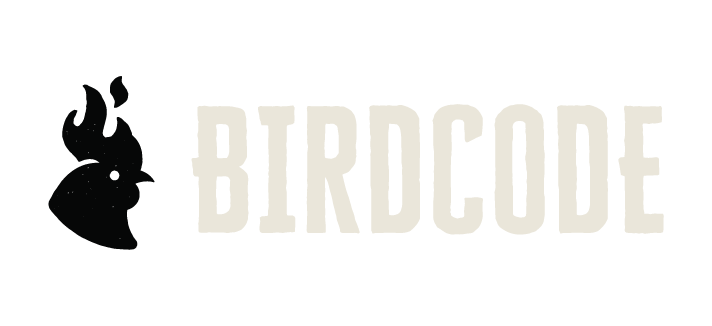
Use this whenever the icon and name fit comfortably.
Browse colors → Shallow spaces
Use when the chicken icon already appears nearby.
Browse colors → Small spaces
For social profiles, favicons, stickers and compact placements.
Browse colors → After the logo
For packaging, merchandise and environmental details.
View marks →This is the main Birdcode logo. Start here unless the available space calls for the wordmark or icon.
Download all primary colors ↓Use the wordmark when the icon already appears nearby or when the layout is too shallow for the full lockup.
Download all wordmark colors ↓Use the icon where the Birdcode name is already clear: profile images, favicons, stickers and small branded details.
Download all icon colors ↓These marks work on merchandise, packaging, murals and environmental details. They do not replace the primary logo.
 Stacked markFor taller layouts and secondary applicationsView colors+Circle iconFor badges, stickers and small graphic momentsView colors+
 Code markFor merchandise, packaging and environmental graphicsView colors+
 Code BreakerCharacter artwork for approved supporting useView file+
Use the supplied artwork, leave it room, and choose a version with clear contrast against its background.
Keep a minimum of one X between the logo and nearby type, imagery, or trim edges. The X is set in Cheddar Gothic and measured from the tight logo boundary shown here.
120 px wide1.5 in wideIf the full logo loses clarity, move to the approved icon rather than forcing the lockup smaller.
Use approved artworkChoose the supplied colorway with strong contrast.
Do not distortNever stretch, compress, skew, or rotate the logo.
Do not add effectsSkip outlines, shadows, glows, and gradients.
Limited time!Do not crowd itKeep type and graphics outside the clear-space zone.
Unusual application? Send the layout to HATCH for a quick review before it goes to production.